Right to Disconnect: What It Means for Email Signatures

The right to disconnect lets employees ignore unreasonable work contact outside their working hours. Adding a short after-hours line to every email signature, stating working hours and that no reply is expected outside them, sets clear expectations with colleagues and clients. Applying that line centrally keeps it consistent and accurate.
Making the Right to Disconnect
Right-to-disconnect laws are now in place in Australia, much of Europe, and Ontario, Canada, with more regions beginning to follow. These rules generally don't prevent employers from sending emails after working hours; instead, they give employees the right to choose when they respond without feeling pressured to be available around the clock.
This makes the email signature a practical place to communicate an organization's after-hours expectations, since the message appears in every email employees send. By managing this information centrally, organizations can ensure their after-hours policy remains consistent, accurate, and up to date across all teams, offices, and regions.
An email lands at 9:47 p.m. It isn't urgent. The sender was simply catching up after putting the kids to bed. But the person receiving it doesn't know that, so they reply anyway, just in case.
Multiply that moment across a whole company, and you get an "always-on" culture that nobody actually asked for. Governments have noticed. Right-to-disconnect laws are spreading, and they are changing what employers are expected to do. For companies already focused on keeping their brand consistent in a hybrid workplace, the email signature offers a simple, visible way to respond.
What Is the Right to Disconnect?
The right to disconnect is an employee's right not to monitor, read, or respond to work contact outside their working hours. How that right works depends on where your people are based.
Australia's Fair Work Commission issued its first ruling under the right in 2026, so these rules are no longer just theory. If your teams work across borders, this sits alongside the other obligations covered in our guide to staying compliant with email regulations across different countries.
Why Does Your Email Signature Matter for the Right to Disconnect?
Your email signature matters because it is the only part of your communication policy that travels with every message. A policy document sits on the intranet. A signature line reaches every colleague, client, and supplier you email.
Regulators and employers already see it this way. Ireland's code of practice points to email footers that show an employee's normal working hours as a practical way to signal availability, and many workplace policies in Australia encourage the same.
The rules don't only apply to managers, either. In Australia, the right also covers work contact from clients and other third parties, so the line belongs on external emails, not just internal ones.
There's a catch, though. If 500 employees each write their own version, you get signature drift: different wording, outdated hours, and lines that contradict your official policy.
What Should an After-Hours Line in an Email Signature Say?
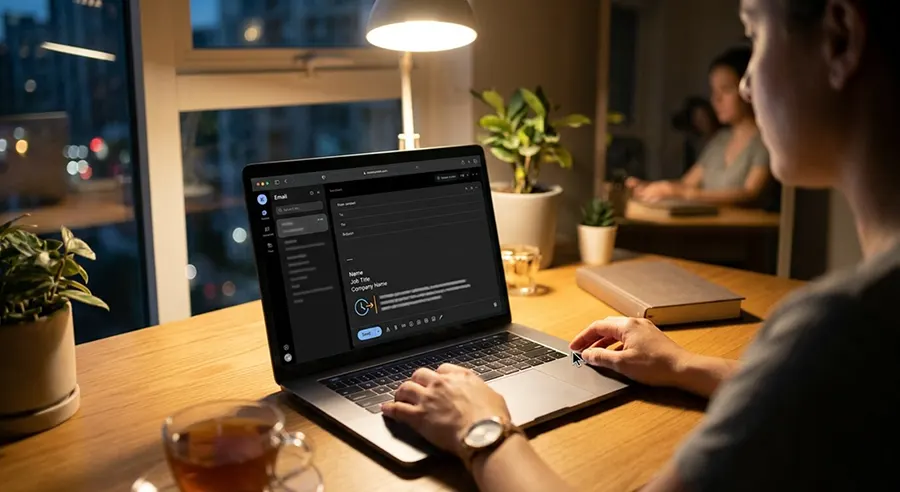
A good after-hours line states when you work, makes clear that no reply is expected outside those hours, and keeps a friendly tone. One or two short sentences are enough. Here are three examples:
Standard: "My working hours are Monday to Friday, 9 a.m. to 5 p.m. ET. If you receive this outside your working hours, there's no need to reply until you're back."
Flexible hours: "I work flexible hours, so I may send emails at times that suit me. Please reply whenever suits you."
Four-day week: "I work Monday to Thursday. Emails received on Friday will be answered on Monday."
Internal vs. External Emails
Internal emails can carry a warmer, culture-focused version, such as a reminder that the company encourages everyone to log off on time. This fits naturally with using internal signatures to build company culture. External emails should stay short and professional.
Regional Versions
A team in Sydney and a team in Toronto need different hours, time zones, and possibly different wording to match local rules. That's why it pays to plan for how global teams localize without losing brand control from the start.
Common Mistakes to Avoid
Even a well-meant after-hours line can backfire. Watch out for these four mistakes:
- Defensive wording: Lines like "I will NOT respond after 5 p.m." can feel cold to clients. Keep the focus on the reader's time, not your rules.
- Missing time zones: Hours without a time zone confuse international contacts.
- Stale information: When someone changes their schedule, an old line quietly tells clients the wrong thing.
- Do-it-yourself signatures: When employees edit their own signatures, wording drifts, and mistakes creep in. That's exactly why zero-touch signature governance works better than leaving it to individuals.
How to Roll Out Right-to-Disconnect Signatures Across Your Organization
The best rollout is a central one. Follow these four steps:
- Agree on the wording. Work with HR and Legal to write one approved line, plus variations for internal emails and flexible schedules.
- Store hours as user data. Keep each person's working hours and time zone in your directory, or as custom attributes, so every signature fills in automatically.
- Set up regional and team versions. Match the wording to local rules and to each team's schedule.
- Keep it current. Review the line whenever schedules, policies, or laws change, and build it into email signature lifecycle management, from onboarding to offboarding.
How Crossware Helps
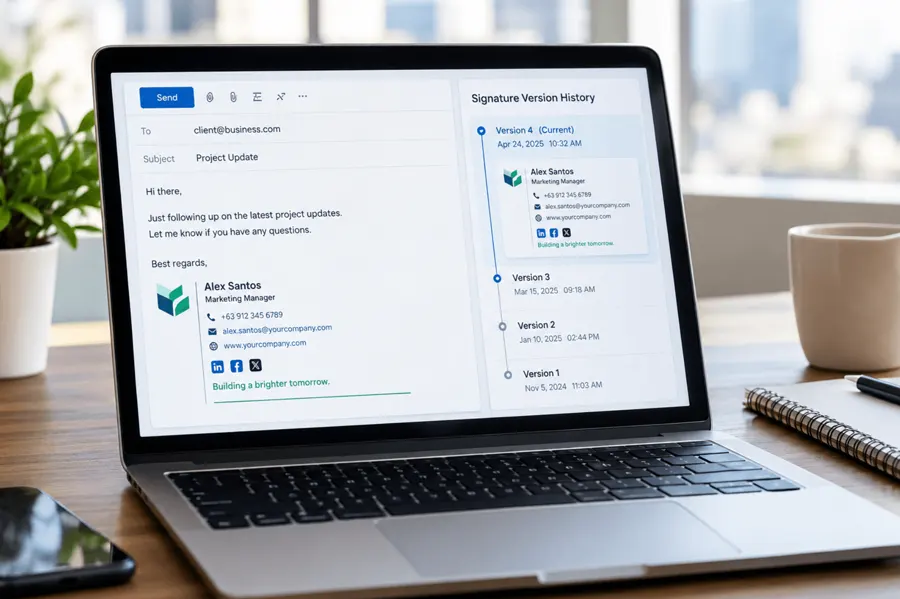
Crossware applies email signatures centrally, so the same approved after-hours line appears on every email, from every device, including mobile. Conditional rules let you show different versions for internal and external emails, or by region and team. Each person's hours fill in automatically from their user details, and one update reaches everyone at once. And with signature version history, you have a record of exactly which wording was live, and when, if a question ever comes up.
Frequently Asked Questions
Does the right to disconnect stop managers from emailing after hours?
No. In Australia, for example, the law doesn't stop employers from sending messages outside working hours. It protects employees who reasonably choose not to read or respond until they're back at work.
Is an after-hours line in an email signature legally required?
Generally, no. Most laws don't require specific signature wording. However, the line is a simple, visible way to support your disconnect policy, and Ireland's code of practice names email footers as one practical option.
What should a right-to-disconnect email signature line say?
It should state your working hours and time zone, make clear that no reply is expected outside those hours, and stay friendly and brief.
Do clients and customers need to respect the right to disconnect?
Clients aren't bound by your employment rules, but in Australia the right covers work contact from third parties as well as employers. A clear signature line helps clients know when to expect a reply.
How do flexible or shift-based schedules work with an automated signature line?
When signatures are integrated with your directory or signature management software, each employee's unique working hours, shift patterns, or time zones populate automatically. If an employee updates their schedule in their user profile, the signature line updates instantly across all their sent emails without requiring manual edits.
Should internal and external email signatures use the exact same right-to-disconnect wording?
Not necessarily. Internal signatures often benefit from a warmer, culture-focused tone that reinforces healthy work boundaries among peers. External signatures should remain brief, professional, and client-focused, simply setting clear expectations for response times and stating the sender's local time zone.
Final Thoughts
Right-to-disconnect rules are growing, and expectations are changing even where no law applies yet. A single, well-written line in every email signature shows that your company respects people's time, inside and outside the business. Set it once, apply it everywhere, and keep it current.
Ready to add a consistent after-hours line to every email? Start your free trial.