Stop Letting Employees "Fix" Their Own Signatures: The Case for Zero-Touch Governance

What if your most powerful branding asset was hiding in plain sight? For a company with 5,000 employees sending roughly 40 emails per day, email signatures alone generate more than 200,000 brand impressions every single day—often exceeding the reach of paid digital campaigns. Yet in many enterprises, the management of this high-impact channel is left entirely to individual users.
The result? A true “Wild West” of stretched logos, mismatched fonts, outdated job titles, broken links, and missing legal disclaimers. In 2026, allowing employees to manually manage their own email signatures is no longer just a branding faux pas—it introduces real operational inefficiencies, legal exposure, and security risks.
The solution lies in Zero-Touch Governance: a modern approach where IT and Marketing centrally control branding, messaging, and compliance, while employees do nothing more than hit “Send.” This ensures every email reinforces the brand, meets regulatory requirements, and scales effortlessly across the organization—without adding friction for end users.
The Hidden Cost of the "Do-It-Yourself" Approach
When you allow employees to manage their own signatures, you are essentially asking them to be part-time designers and compliance officers. This approach comes with a steep, hidden price tag. IT departments report spending countless hours resolving trivial tickets related to signature formatting—time that should be spent on cybersecurity or infrastructure.
Consider the productivity drain: if every employee spends just 15 minutes a year "tweaking" their signature, a 10,000-person company loses 2,500 hours of productivity annually. That is more than a full-time employee's entire work year wasted on fonts and logos. By shifting to an automated model, companies can reclaim this time. A strategy focused on maximizing efficiency with automated email signatures eliminates the need for manual intervention, ensuring that updates happen in the background without disrupting the workforce.
Brand Integrity: The "Visual Handshake"
Your email signature is often the first "visual handshake" a prospect receives. When that handshake is weak—characterized by pixelated images, mismatched colors, or personal "inspirational quotes"—it signals a lack of professionalism that bleeds into your brand's reputation.
Inconsistency confuses the market. If your Sales team uses the new 2026 logo, but your Support team is still using the 2024 version they manually saved to their desktop, you are presenting a fractured identity. This fragmentation suggests a disorganized internal culture. To maintain a premium market position, enterprises must ensure uniformity across every touchpoint. Learning how to avoid brand inconsistencies across your marketing stack is crucial for Marketing Directors who want to ensure that the million dollars spent on a rebrand isn't undermined by a sloppy email footer.
The Legal Minefield: Compliance is Not Optional
Beyond aesthetics, the "DIY" signature is a massive legal risk. Global regulations like GDPR (Europe), CCPA (California), and CASL (Canada) have strict requirements for commercial communication. These often mandate that specific physical addresses, unsubscribe links, and company registration numbers be present in every email.
When you rely on employees to copy-paste this information, human error is inevitable. An employee in your Berlin office might accidentally delete the mandatory Handelsregister number, or a staff member in California might omit the required "Do Not Sell My Data" link. These small omissions can lead to significant fines. Implementing a system that guarantees email signature compliance and meets legal requirements is the only way to safeguard the organization. With Zero-Touch Governance, the correct legal text is automatically appended based on the sender’s location and department, removing the risk entirely.
The Security Gap: Trust and Phishing
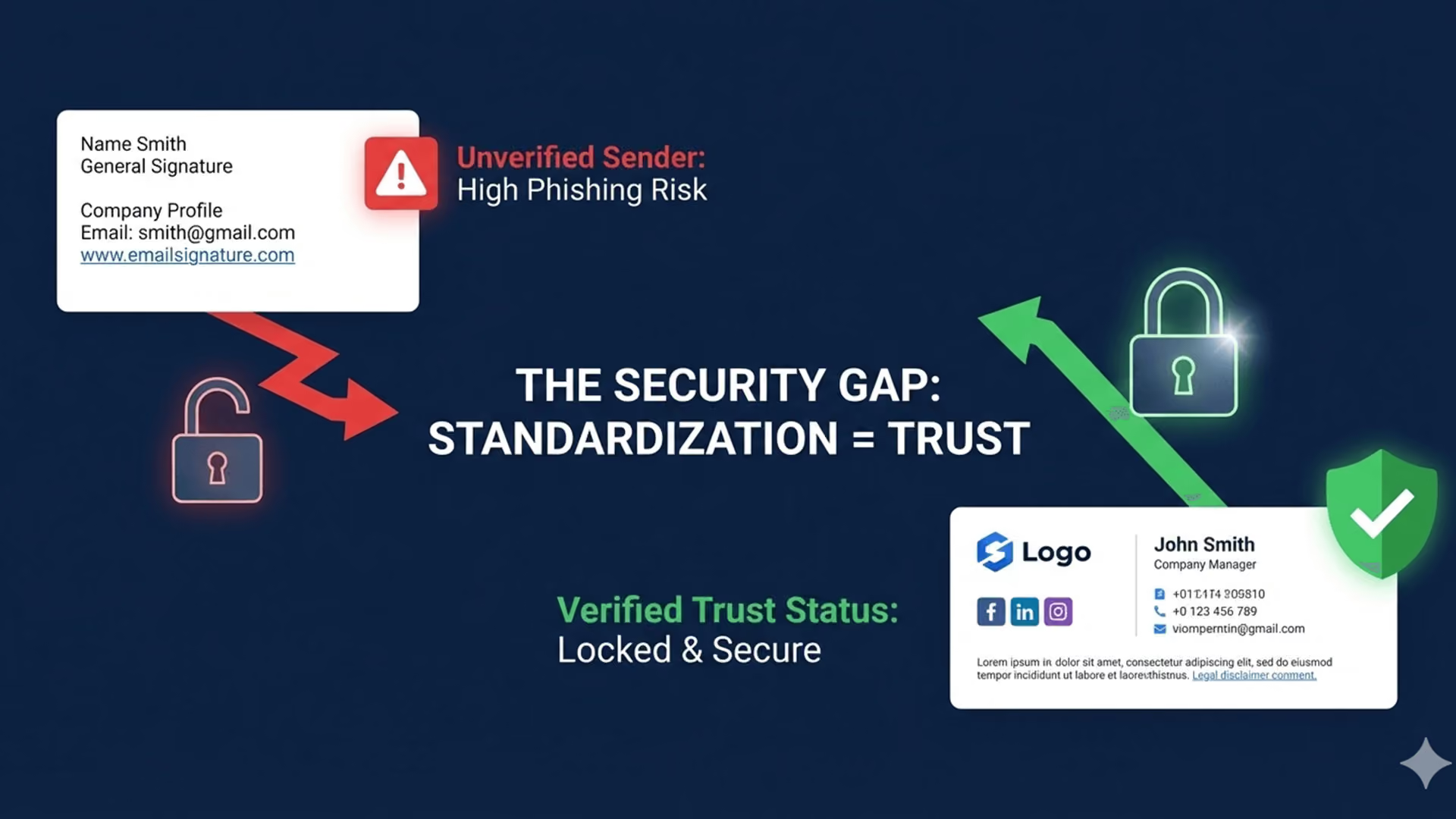
In an era where phishing attacks are becoming increasingly sophisticated, the email signature has become a trust signal. Cybercriminals often use spoofed emails that look "close enough" to the real thing to trick employees or partners. If your organization has no standard signature format, it is incredibly easy for a bad actor to fake an email from your CEO; there is no "official look" to verify against.
Zero-Touch Governance enforces a strict, unalterable standard. When every legitimate email from your domain follows a precise, code-perfect format, it becomes much harder for spoofers to replicate. Furthermore, by locking down the signature, you prevent employees from accidentally adding malicious links or vulnerable HTML code to their outgoing mail. Prioritizing the top security features every email signature should have creates a defensive layer that protects both your internal data and your external reputation.
Zero-Touch Governance: How It Works
So, what does a Zero-Touch model look like in practice? It moves the control from the "Client-Side" (the user's Outlook or Gmail settings) to the "Server-Side" (the mail flow).
- Centralized Design: Marketing creates the templates (e.g., one for Sales, one for Internal, one for C-Suite).
- Data Integration: The system connects directly to your Active Directory (AD) or Google Directory. It pulls the employee’s name, title, phone number, and department in real-time.
- Automatic Application: When an employee sends an email, the system detects who they are and stamps the correct, perfect signature at the bottom.
- No User Access: The employee cannot change the font, color, or content. They simply write their email, and the branding is handled for them.
This approach transforms the signature from a static text block into a dynamic asset. If Marketing wants to promote a new webinar, they can update the banner for the entire sales team in one click. If you are looking for a roadmap, exploring 5 ways to simplify email signature management can show you how to reduce IT overhead while boosting functionality.
Scalability for the Future
For big branded companies, the only constant is change. Mergers, acquisitions, and expansions mean that employee rosters are constantly in flux. Onboarding 500 new employees from an acquisition and manually setting up their signatures is a logistical nightmare.
With a Zero-Touch system, scalability is instant. As soon as the new employees are added to the company directory, they are automatically assigned the correct brand signature. There is no training required, no "setup guide" to read, and no tickets for IT. This is critical for scaling signature automation for large enterprises, ensuring that whether you have 100 users or 100,000, the management effort remains near zero.
Conclusion
The days of the "text file" signature are over. As we move toward 2026, the email signature must be treated as a piece of corporate infrastructure—secure, compliant, and consistently branded. Stop letting employees "fix" their own signatures. It is not their job, and frankly, they don't want to do it. By adopting a governance model that removes the burden from the end-user, you gain control, reduce risk, and turn every email into a verified brand ambassador.
Why Crossware?
If your organization is ready to embrace Zero-Touch Governance, Crossware is the partner of choice for the world's leading enterprises. Crossware's powerful email signature management platform offers seamless integration with Microsoft 365, HCL Domino, and Google Workspace, giving you total centralized control. Whether you need to enforce complex compliance rules across multiple regions or simply want to ensure your logo looks perfect on every mobile device, Crossware handles it all in the cloud. Empower your IT and Marketing teams to stop fixing fonts and start driving value with Crossware.