Who Owns the Email Signature When AI Writes the Email?
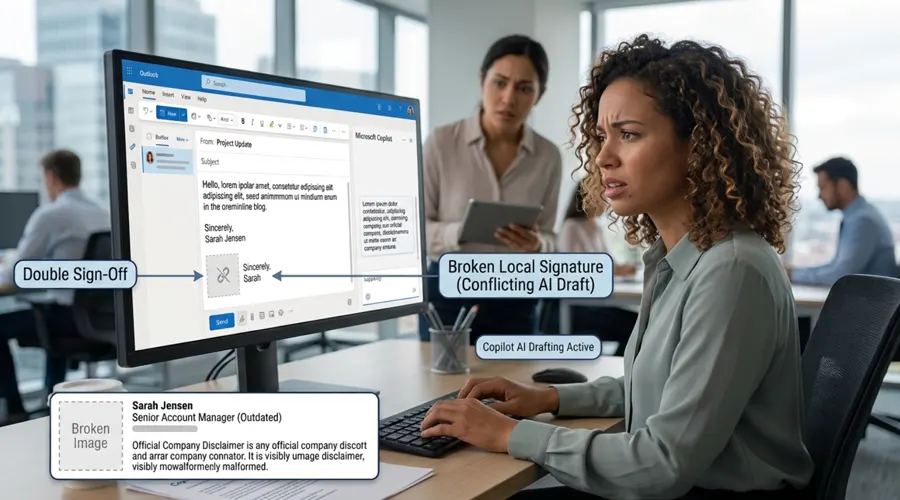
It used to be simple: whoever wrote the email checked the signature before sending it. Today, AI tools like Microsoft Copilot are rewriting that process. As automated software handles more of your organization's communication and shared inboxes process higher volumes of mail, the email footer is often completely overlooked. That creates a modern governance gap: when AI writes the email, who is actually responsible for what’s in the signature?
Ultimately, email signatures belong to the organization—not individual users, and definitely not AI models. Copilot may draft the body of the message, but signatures should be applied centrally post-drafting through automated, compliance-checked templates. By decoupling signature management from message creation, every email remains compliant, professional, and on-brand, no matter how the message was created.
What Changes When AI Drafts the Email?
AI doesn't just speed up writing. It changes where mistakes come from, and three shifts matter most for email signatures.
Email volume goes up, while attention goes down. Copilot in Outlook can now triage the inbox and draft follow-up emails for users to review before sending. Review is an important safeguard, but people working through a stack of drafts focus on the message. Few stop to check whether the logo loaded or the disclaimer is still there.
Shared mailboxes are now part of the picture. Since mid-2026, Copilot has worked inside shared and delegated mailboxes as well as personal ones. These are the mailboxes where signatures go wrong most often, because when five people reply from support@ or sales@, each person's Outlook may attach a different signature.
The drafting tool can interfere with the signature. When an AI rewrites a message, it doesn't always treat the signature as off-limits. It can reformat it, strip out images, or add its own sign-off on top, chipping away at the consistency your brand and compliance teams depend on.
A Scenario: The Reply Nobody Quite Wrote
Here's what those shifts can look like on an ordinary working day.
Scenario
Priya is an account manager at a mid-sized logistics company. It's 4:50 p.m. on a Friday, and a client is waiting on an update. She opens the shared sales@ mailbox, asks Copilot to draft a follow-up, skims the result, and clicks Send.
The message itself is fine. The signature is not. It shows Priya's personal details instead of the sales team's, her job title from before last month's promotion, and a broken logo. The regulatory disclaimer the sales team is required to include is missing altogether.
On Monday, Compliance asks a simple question: whose mistake was it? Priya sent the email, IT set up Outlook, and Copilot wrote the words. Even the outdated title shows how scattered ownership is: HR recorded her promotion, but it never reached her signature, which is exactly the gap email signature lifecycle management, from onboarding to offboarding, is designed to close. The honest answer is that nobody owned the signature, and that's the real problem.
So, Who Owns the Signature?
The organization owns the signature. In practice, that ownership is shared across a few teams, each responsible for one part. Spelling this out matters, because when everyone assumes someone else is checking, nobody is.
Marketing Owns the Look and the Message
Marketing decides the layout, logo, colors, and any campaign banner. Its goal is simple: every email, whether a person or Copilot wrote it, should look like it came from the same company, with banners that change when campaigns do.
Legal and Compliance Own the Disclaimers
Legal decides which disclaimers each team, region, or mailbox must carry. In regulated industries, a missing disclaimer can be a breach, not just an embarrassment, so it can't depend on whether a person or an AI remembered to include it.
IT Owns How Signatures Are Applied
IT decides where the signature gets added. Signatures stored in each user's email client are fragile, because anything that edits the draft can also edit the signature. The more reliable option is server-side signature management, which adds the signature after the email leaves the sender, so nothing that happens during drafting can break or skip it.
HR Owns the Data Behind It
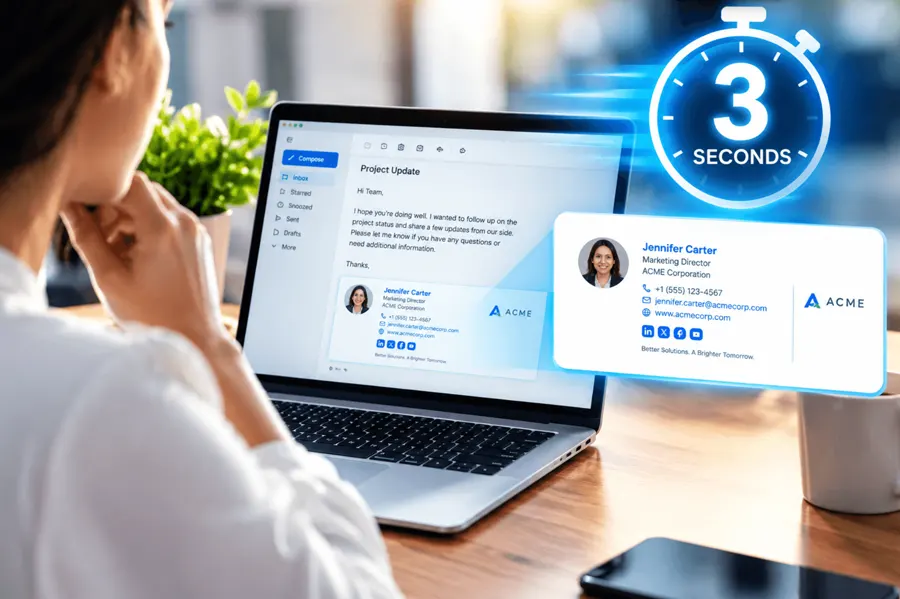
Names, job titles, departments, and phone numbers should flow automatically from your HR system or directory. When HR records a promotion, the signature should update the same day. That one connection would have fixed half of Priya's problem.
Employees Own Accuracy, and the AI Owns Nothing
Employees should flag when their details look wrong, but they shouldn't be designing, pasting, or repairing signatures themselves. The AI shouldn't own any part of the signature at all. Its job is to help write the message, and that job ends where the signature begins.
Where AI and Signatures Collide
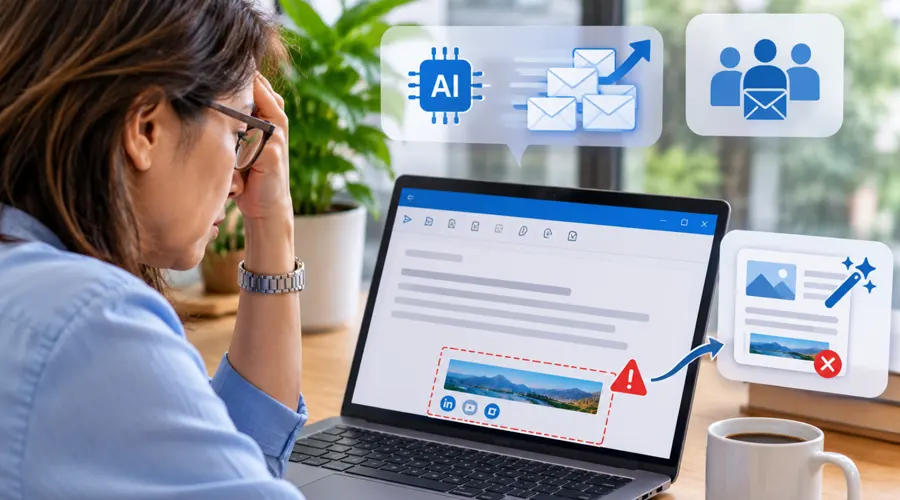
When signatures live inside the email client, AI drafting tends to create the same four problems again and again:
- Broken or missing images: When Copilot rewrites a draft, it can strip out or corrupt the images in the signature, and users on Microsoft's own forum have reported Copilot drafting breaking their organization's signatures. The email then ends with a blank box where your logo should be, which can look careless or even suspicious to a client.
- Double sign-offs: AI assistants learn from millions of emails that end with "Best regards" and a name, so they often write a closing of their own. When the real signature is added below it, the recipient sees two endings, a detail that makes the email feel automated rather than personal.
- The wrong identity: In shared and delegated mailboxes, the email client may attach the sender's personal signature instead of the team's, or another colleague's signature entirely. Clients may then contact the wrong person or receive personal details never meant to be shared, exactly what happened to Priya.
- Missing disclaimers: When an AI writes its own closing, or a user deletes part of the footer to tidy up a draft, required legal text can disappear without anyone noticing. Unlike a broken logo, nobody notices it's gone until an audit or a dispute brings it to light.
Each problem is minor on its own, but repeated across thousands of AI-assisted emails, they add up to signature drift, the slow loss of consistency that undermines your brand and your compliance.
Our Recommendation: Take the Signature Out of the Drafting Step
The instinctive fix is training every employee to check every footer. That helps, but it doesn't scale, and it puts the burden on the people with the least time. A better approach is to remove the signature from the part of the process the AI touches.
Advice Approach
Let Copilot write the message, and let your signature system handle everything below it. Apply signatures centrally and server-side, after the email is sent, using rules based on the sender, the mailbox, and the recipient. Employees and AI tools then never have to handle the signature at all.
This is the same principle behind zero-touch signature governance: the less people have to do, the more consistent the result. It also gives you one place to handle newer questions, such as whether AI-assisted emails should carry a disclosure line, so the answer is applied as policy rather than written a dozen ways by individual employees.
A Quick Governance Checklist for AI-Drafted Email
Before you roll Copilot out more widely, check that you can answer "yes" to each of these:
- Ownership is written down. Each team knows which part of the signature it controls.
- Signatures are applied after drafting. Nothing depends on the email client or the AI remembering to include them.
- Shared mailboxes have their own signatures. Emails from sales@ or support@ carry the team's identity, not whoever happened to send them.
- Signature data comes from your directory. Titles and contact details update automatically.
- Changes are recorded. You can show which signature and disclaimer were live on any given date, using signature version history.
💡 ProTip
Tell Copilot users not to ask for a closing or signature in their prompts, and to delete any sign-off Copilot adds on its own. If signatures are applied after sending, every email will end cleanly with exactly one signature, the right one.
Frequently Asked Questions
Does Copilot add my email signature automatically?
Not reliably. Copilot drafts the message, while your signature comes from Outlook's settings or a central signature tool. When the two overlap, users have reported duplicated sign-offs and broken images.
Who is responsible if an AI-drafted email goes out with the wrong signature?
The sender is responsible for the content, but the organization is responsible for the signature system. If signatures depend on each employee's settings, the error is a governance gap, not just a personal mistake.
Should AI-drafted emails include a disclosure?
It depends on your industry and markets. Whatever you decide, make it a company-wide policy applied centrally, rather than leaving each employee to write their own.
Does this apply to AI assistants other than Copilot, such as Gemini in Gmail?
Yes. Any AI tool that drafts or rewrites emails can cause the same problems, so the fix is the same: apply the signature centrally after sending, whichever tool wrote the message.
If signatures are added after sending, can employees still see them while writing an email?
Not always. With a purely server-side setup, the signature won’t appear in the compose window, though some solutions offer a preview in Outlook. Check with your provider.
How can we check whether AI-drafted emails are already going out with the wrong signature?
Ask a few people to send Copilot-drafted emails from personal and shared mailboxes to an external address you control. Then check the logo, job title, disclaimer, and number of sign-offs on what arrives.
Conclusion
AI is changing who writes the email, but it shouldn't change who owns the signature. When Marketing, Legal, IT, and HR each own their part, and the signature is applied after the AI has done its work, it no longer matters whether Priya, Copilot, or both wrote the message. Every email still looks right and says what it must.