QR Codes in Email Signatures: Will Filters Block Them?
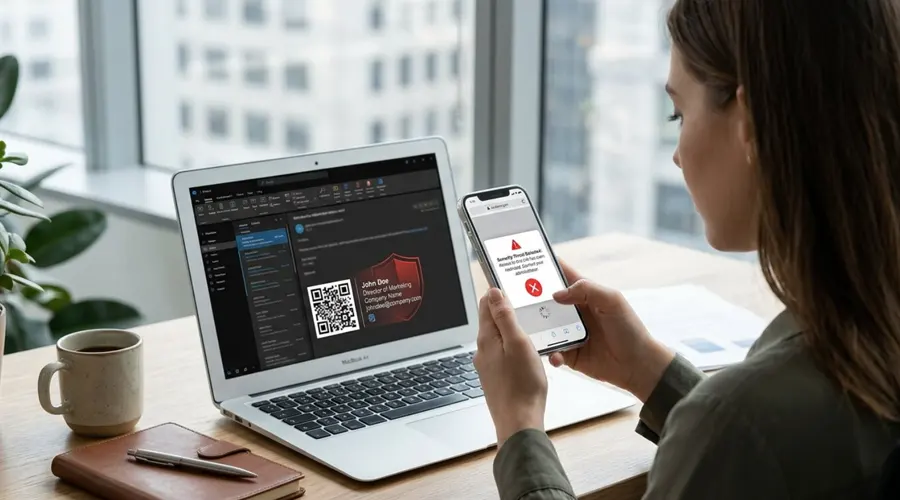
Quick answer: Yes, they can. QR-code phishing, known as "quishing," has pushed many email security tools to scan, flag, or even block messages that contain QR codes, including codes in email signatures. For most businesses, clear text links and click-to-call details do the same job without the risk.
Attackers frequently hide malicious links inside QR codes, leading modern security tools to treat them with heightened suspicion. Consequently, including a QR code in your email signature can cause your messages to be flagged, quarantined, or blocked entirely, depending on the recipient’s security setup.
Beyond the delivery risks, QR codes are functionally impractical for email communication since most people read messages on the very phone they would need to scan with. Replacing them with text links, click-to-call phone numbers, and a simple "Save my contact" button offers a safer, far more convenient alternative for your recipients.
Why QR Codes in Email Signatures Are Now a Risk
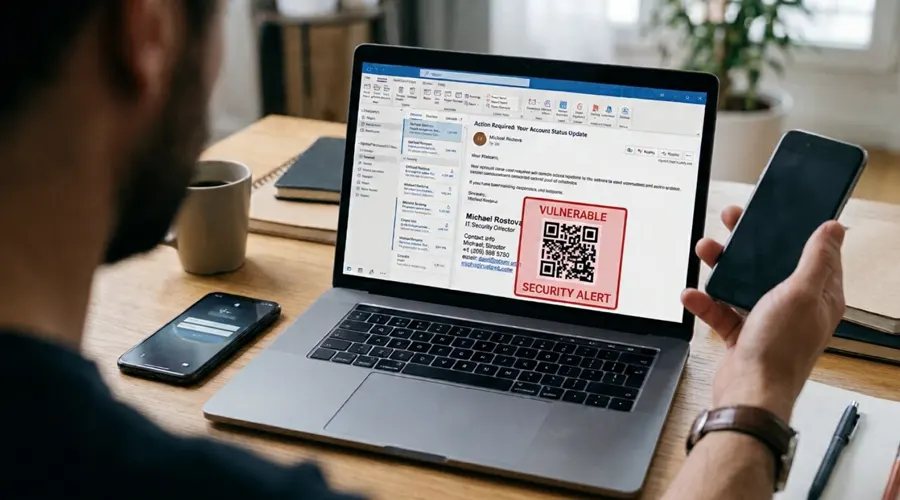
A few years ago, adding a QR code to your email signature felt like a smart shortcut. One scan, and a prospect could save your contact details or land on your booking page.
Today, that same little square can look a lot like a phishing lure. Recipients judge an email within seconds, as we explored in the 3-second rule for email trust, and their security tools judge it even faster. Here's what has changed, and what to use instead.
What Is Quishing, and Why Are Filters Targeting QR Codes?
Quishing is phishing that hides a malicious link inside a QR code. Because the link is part of an image rather than clickable text, traditional link scanners can miss it. And because the victim scans the code with their phone, the attack moves away from the protected work laptop onto a personal device.
The scale is significant. Microsoft has reported blocking around 1.5 million QR code phishing emails a day in email bodies alone. One industry report claims quishing incidents rose 146% in the first quarter of 2026, although it comes from a QR code vendor and the figures haven't been independently verified.
Security vendors have responded by teaching their tools to read QR codes and, in some cases, to distrust them on sight.
Can a QR Code Really Get Your Email Blocked?
Yes. Whether it happens depends on the security tools your recipient uses, and those vary widely:
The last example is telling. A large organization warned its own staff that emails containing QR codes, including in signatures, may not reach recipients at all.
The problem is that you can't control your recipient's settings. Your signature has to work for the strictest filter it meets, which is one reason it pays to know the security features every email signature should have.
Why QR Codes Are a Poor Fit for Email Signatures Anyway
Even if every filter let them through, QR codes rarely earn their place in an email signature. There are three reasons:
- It's the wrong device. Most people read email on their phone, and you can't scan a code on the screen you're holding. That's why mobile-optimized signatures get more clicks: they use links people can simply tap.
- The destination is invisible. A text link shows where it leads. A QR code asks people to trust it blindly, which is exactly what security training tells them not to do.
- It can fail to display or be read. Screen readers can't interpret a QR code, many email clients block images by default, and codes can render poorly when signatures are viewed in dark mode.
What to Use Instead of a QR Code
The good news is that every job a QR code does in a signature can be done better with plain, clickable elements.
Clear Text Links
Link to your website, booking page, or portfolio with descriptive text, such as "Book a 15-minute call." Recipients can see the destination by hovering or long-pressing, which builds trust instead of eroding it.
Click-to-Call Phone Numbers
Format your number in full international format, with the plus sign and country code, so it becomes a tappable link on mobile. One tap beats one scan every time.
A "Save My Contact" Link
If your QR code was a digital business card, replace it with a text link to a hosted contact card. On a phone, it opens straight into the contacts app.
One Focused Banner
If you want to promote an event or offer, use a single banner with a clear call to action. Small choices like this matter more than you might think, as covered in the subtle signature detail that affects conversions.
When a QR Code Still Makes Sense
QR codes still work well on printed business cards, event badges, posters, and product packaging, where people scan them with a separate device. Even there, add a short, visible web address next to the code, so people can see where they're going before they scan.
How to Remove QR Codes from Every Signature at Once
If QR codes have crept into your organization's signatures, take these three steps:
- Audit what's out there. Send test emails from each team and check for QR codes, outdated links, and unapproved images.
- Replace them with approved alternatives. Swap each code for a text link, click-to-call number, or contact link, using one central template.
- Stop them from coming back. If employees can edit their own signatures, the codes will return. That's the case for zero-touch signature governance, where signatures are managed centrally.
Crossware Makes it Easy
Crossware manages email signatures centrally, so you control exactly what appears in every employee's signature, on every device. Replace QR codes with clean text links and click-to-call numbers once, and the change reaches everyone instantly. Campaign banners come with click tracking, so you can see what's working and measure the ROI of your email signatures instead of guessing how many people scanned a code.
Frequently Asked Questions
Are QR codes in email signatures safe?
The code itself isn't harmful, but it looks the same as the codes attackers use. Recipients can't see where it leads, and some security tools treat any QR code as a warning sign. A clear text link is the safer choice.
Will a QR code send my email to spam?
It can, depending on the recipient's security tools. Some scan the hidden link and let the email through, while others quarantine or block emails that contain QR codes. You can't control which setup each recipient uses.
What's the best alternative to a QR code in an email signature?
Use clear text links, a click-to-call phone number, and a "Save my contact" link. They work on every device, show recipients exactly where they're going, and don't trigger anti-quishing filters.
Can I still use a QR code on business cards?
Yes. Printed materials are where QR codes work best, because people scan them with a separate device. Add a short, visible web address next to the code so people can check where it goes.
Does dark mode or image blocking affect how QR codes display in signatures?
Yes. Many email clients block images by default, which prevents the QR code from displaying at all. Additionally, QR codes can render poorly or fail to scan when signatures are viewed in dark mode.
How can an organization ensure employees aren't adding QR codes back into their signatures?
Implement zero-touch signature governance. By managing email signatures centrally with a tool like Crossware, you can enforce standardized templates across all devices and prevent employees from adding unapproved images or QR codes back into their signatures.
QR Codes Themselves Are Safe
QR codes aren't dangerous in themselves, but they now look a lot like the tools attackers use. In an email signature, that's a risk with very little upside. Clear links, tappable phone numbers, and a simple contact link do the job better, reach every inbox, and help recipients trust you at a glance.
Swap QR codes for trusted links, company-wide, in one step. See how Crossware lets you replace QR codes with clean, clickable links and click-to-call numbers across every signature, then track exactly what gets clicked. Request a Demo!