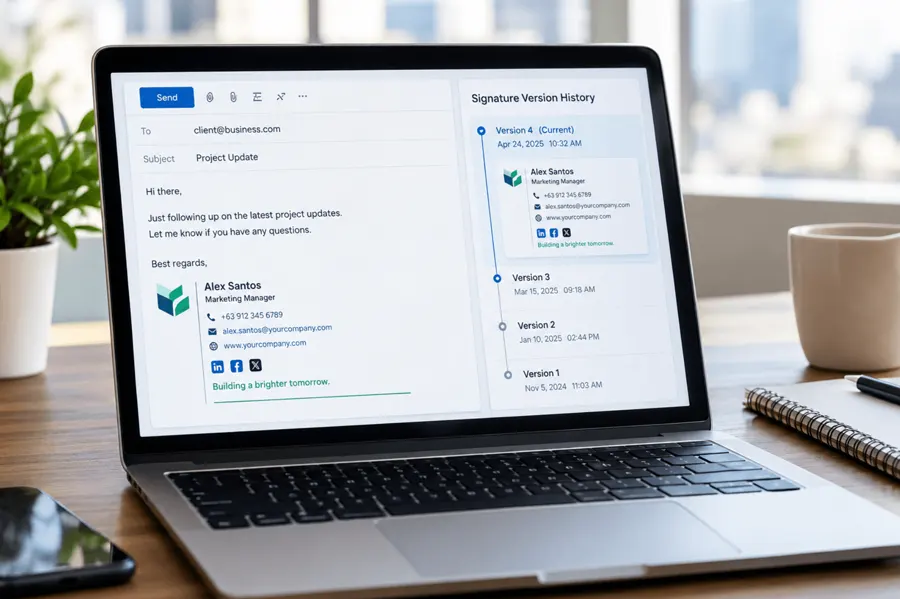
Microsoft 365 Multi-Tenant Email Signature Management Explained
Picture this: your company just acquired a smaller competitor, and IT is now juggling two separate Microsoft 365 tenants. Half the workforce is sending emails with the old brand's signature, complete with an outdated logo and a phone number that no longer connects to anyone. Meanwhile, legal is asking why some outbound messages carry a disclaimer and others don't. Nobody planned for this. It just happened, the way these things usually do — one acquisition, one new region, one "temporary" IT decision at a time.
This is the reality for a growing number of organizations. Whether it's the result of a merger, a regional expansion, or a decision to keep certain business units operationally separate, running multiple Microsoft 365 tenants has become common. What's less common is having a clear plan for keeping something as small — and as visible — as an email signature consistent across all of them.
Why Companies End Up With Multiple Tenants

Multi-tenant Microsoft 365 setups rarely happen by design from day one. They tend to accumulate over time. A parent company might acquire another business and inherit its existing Microsoft 365 environment. A global enterprise might split tenants by region for data residency or compliance reasons. Some organizations deliberately separate tenants to keep subsidiaries or franchise operations administratively independent, even while sharing a parent brand.
Whatever the reason, each tenant functions as its own island in terms of user management, security policies, and — critically — email signature configuration. There's no built-in mechanism in Microsoft 365 that keeps signatures aligned across tenant boundaries. IT teams are left stitching together a consistent brand experience using whatever tools, scripts, or manual processes they can manage.
The Real Cost of Fragmented Signature Management
It's easy to underestimate how much damage inconsistent signatures can do until you actually look at tenants side by side. Some common patterns show up almost every time:
- Different logo versions, color schemes, or taglines depending on which tenant an employee belongs to
- Legal disclaimers that appear in one tenant's signatures but are missing entirely from another
- Contact details, job titles, or social links that were never updated after a reorganization
- No centralized way to launch a signature-based campaign (a new product announcement, a compliance banner, an event promo) across the whole organization at once
None of these issues are dramatic on their own. But multiply them across thousands of emails sent daily, and the cumulative effect on brand perception and regulatory exposure adds up quickly. A recruiter who receives two wildly different-looking signatures from the same company in the same week will notice. So will a regulator conducting an audit.
Organizations that have gone through an acquisition tend to feel this most acutely. Crossware365's earlier piece on email signature challenges during mergers and acquisitions goes deeper into how quickly signature chaos can spread when two environments are stitched together without a plan.
Manual Processes Don't Scale Across Tenants
Many IT teams still manage signatures through Group Policy Objects, Outlook templates distributed via email, or manual copy-paste instructions sent to staff. This barely works within a single tenant, and it breaks down almost immediately across multiple ones. Every tenant requires its own deployment, its own testing, and its own troubleshooting when something inevitably goes wrong on a particular device or Outlook version.
There's also a governance problem hiding underneath the technical one. When signatures are self-managed by employees, IT loses the ability to guarantee that legal disclaimers, accessibility standards, or brand guidelines are actually being followed. The case for zero-touch signature governance, and the argument applies even more strongly once multiple tenants are involved — there simply isn't time to chase down inconsistencies tenant by tenant.
What Centralized Management Actually Looks Like
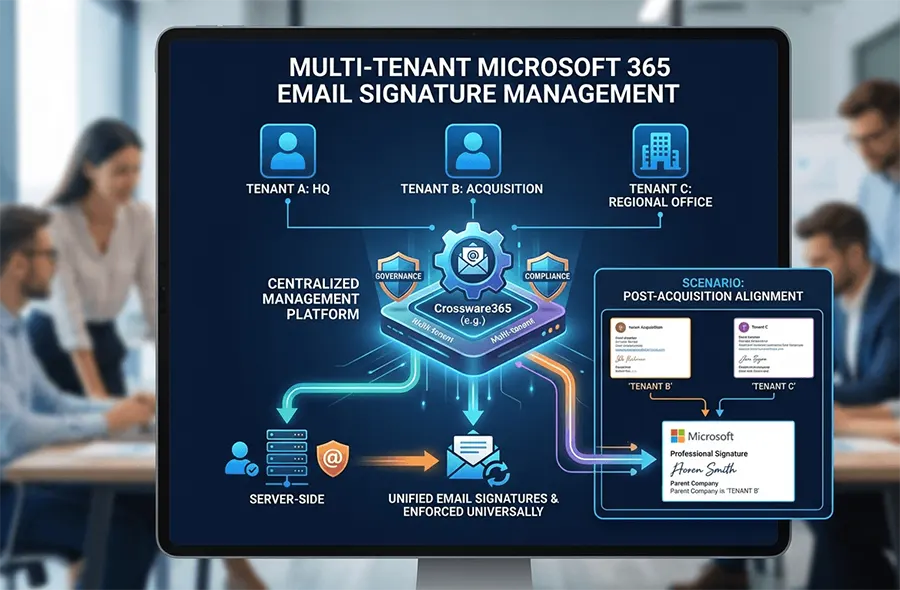
The alternative is treating signature management as infrastructure rather than an afterthought. Instead of configuring signatures separately inside each Microsoft 365 tenant, centralized platforms apply signatures server-side, meaning the signature is inserted as an email passes through a mail flow rule or transport connector — not on the sending device. This removes the dependency on individual Outlook clients, mobile apps, or user cooperation entirely.
For organizations managing several tenants, this approach has a few practical advantages:
- One set of templates can be maintained and pushed to multiple tenants simultaneously, with tenant-specific fields (logo, disclaimer, regional contact info) swapped in automatically
- Updates roll out in minutes rather than requiring per-tenant deployment cycles
- Compliance disclaimers can be enforced consistently, satisfying frameworks referenced in resources like the GDPR and HIPAA compliance checklist
- IT retains a single dashboard for visibility across the entire organization, rather than logging into each tenant separately
Microsoft's own documentation on multi-tenant organization capabilities acknowledges that cross-tenant collaboration and identity synchronization are increasingly common requirements — but signature branding isn't something Microsoft manages natively, which is exactly why third-party centralization tools have become necessary for larger environments.
A Practical Scenario: Post-Acquisition Signature Alignment
Consider a mid-sized professional services firm that acquires two regional competitors within the same year. Each acquired company arrives with its own Microsoft 365 tenant, its own signature templates, and its own idea of what "on brand" means. The parent company wants a single, recognizable identity across all outbound email within weeks of each deal closing — not months.
Rather than manually rebuilding signature templates inside each tenant, the IT team maps out a master template with variable fields for logo, office address, and legal disclaimer. That template is deployed across all three tenants from a single console. Employees see no disruption; they don't need to do anything on their end. Meanwhile, IT can track deployment status, catch formatting issues before they reach external recipients, and adjust disclaimers instantly if legal requirements change in one region but not another. This kind of alignment often becomes a first, highly visible signal to newly acquired staff that integration is actually happening — a detail explored further in the email signatures for subsidiaries and franchises.
Questions Every IT Team Should Ask
Before deciding how to handle signatures across multiple tenants, it's worth pausing on a few questions:
- Can we currently update every signature across every tenant within the same hour, or does it take days?
- If a legal disclaimer changes tomorrow, how many tenants would we need to touch manually?
- Do we have visibility into which employees are sending emails with outdated or incorrect signatures right now?
- Would a new hire in one tenant see the same brand experience as one in another?
If the honest answer to most of these is "no" or "we're not sure," that's usually a sign the current approach won't hold up as the organization keeps growing.
Planning for What Comes Next
Multi-tenant environments rarely stay static. Companies keep acquiring, expanding into new regions, or splitting operations for good business reasons. Signature management needs to be built with that growth in mind, not treated as a one-time cleanup project. Enterprise IT teams and managed service providers benefit most when the underlying system can onboard a new tenant without reinventing the process each time. It’s something covered in more detail in the complete guide to Microsoft 365 signature management and its overview of server-side enforcement for enterprise compliance.
Getting signatures right across multiple tenants isn't glamorous work, but it's one of the few brand touchpoints that every single employee generates, every single day, without exception. Crossware365 builds tools specifically to help IT teams and MSPs manage this at scale — bringing every tenant under one consistent, centrally governed signature strategy without adding to the administrative burden already on their plate.