Email Signature Challenges During Mergers & Acquisitions
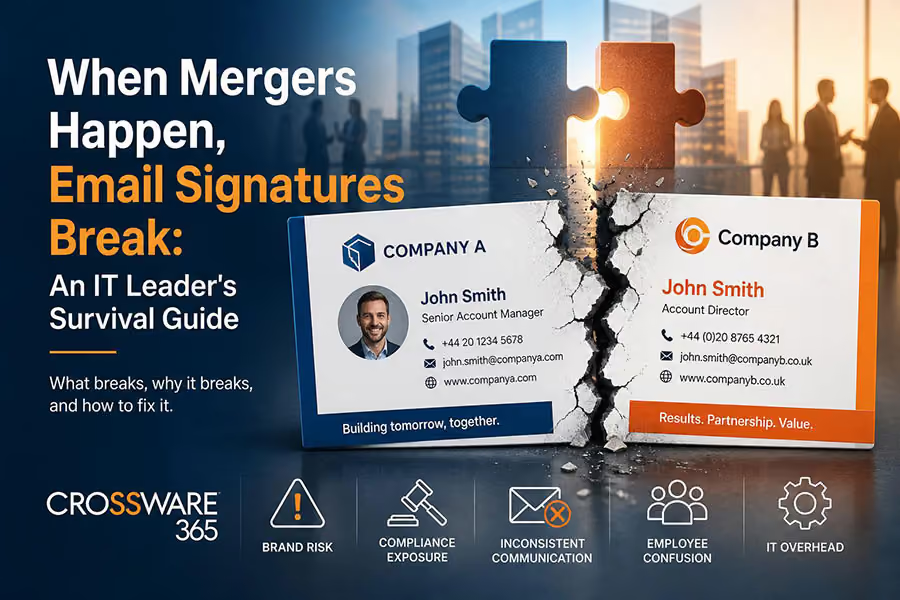
Mergers and acquisitions are transformational moments for any organization. Strategies are realigned, teams are restructured, and brands are renegotiated. Amid the chaos of system migrations, identity access management, and infrastructure consolidation, one thing consistently falls through the cracks: email signatures.
It sounds minor. It is not. In the weeks and months following a merger, thousands of employees continue sending emails under old branding, incorrect legal entities, outdated job titles, and mismatched domain addresses. For a business trying to project confidence and consistency to clients, investors, and partners, this is a silent but serious brand and compliance crisis — and it lands squarely on the IT team's plate.
This guide is built for IT leaders navigating that challenge. Whether you are managing a two-company integration or a large-scale multi-entity consolidation, here is what breaks, why it breaks, and how to fix it. As explored in brand consistency in the age of hybrid work, the stakes around signature governance have never been higher — and mergers amplify every existing weakness in your email infrastructure.
Why Email Signatures Are the First Casualty of a Merger
Email signatures are one of the most visible and high-frequency touch points a company has. A mid-sized organization of 500 employees might collectively send upwards of 50,000 emails per week. Each one carries a signature — and in a merger environment, that signature tells a story. The question is whether it tells the right one.
The problem starts with how most organizations manage signatures to begin with. In companies without a centralized email signature solution, employees manage their own signatures manually. That means copy-pasting from templates, editing on personal devices, and inevitably — getting it wrong. When a merger introduces new branding, new legal disclaimers, or new domain names, there is no reliable mechanism to push those changes out consistently. This is precisely the problem that zero-touch signature governance is designed to solve — removing the human variable from the equation entirely.
The Common Failure Points After a Merger
- Brand Fragmentation: Employees from the acquired company continue using old logos, colors, and fonts — often for months — because no one told them otherwise or gave them updated templates.
- Domain Inconsistency: Emails sent from legacy domains (e.g., @oldcompany.com) conflict with the new corporate identity, creating confusion for recipients and introducing deliverability risks.
- Incorrect Legal Entities: Regulated industries require accurate legal names and registered addresses in every email footer. Post-merger, outdated legal disclaimers can expose the combined entity to real compliance liability.
- Title and Role Mismatches: Acquired employees often retain old job titles in their signatures long after reporting lines and responsibilities have changed, undermining internal credibility.
- Duplicate Signature Styles: Two companies merging means two design systems colliding. Without governance, the result is a patchwork of styles that signals internal disorganization to every external contact.
A Real-World Scenario: The 90-Day Signature Chaos Window

Scenario: A regional financial services firm — let us call them Meridian Capital — acquires a smaller wealth management business with 140 employees. The deal closes on a Friday. By Monday, both companies are operating under the Meridian brand. Leadership announces the rebrand immediately via a company-wide email.
However, because the acquired firm's employees managed their own signatures locally in Outlook, they continue using the old branding for the next 11 weeks. Clients who had relationships with the acquired company receive emails that look nothing like the Meridian brand they were introduced to. Meanwhile, the new combined entity's legal disclaimer — required under financial services regulations — is missing from every email sent by the 140 legacy employees. It takes a client complaint flagged by the compliance team to surface the issue. By then, roughly 85,000 non-compliant emails have already been sent.
This scenario is not unusual. The 90-day window after a merger closes is the highest-risk period for email signature inconsistency. IT leaders who lack centralized control have no efficient way to detect or correct the problem at scale.
The IT Leader's Playbook: Managing Signature Transitions During M&A
Phase 1: Pre-Integration Audit (Before the Deal Closes)
The best time to prepare for signature chaos is before it starts. If you have advanced knowledge of a merger, use the pre-integration period to audit both environments.
- Inventory both companies' signature templates and identify format inconsistencies.
- Document all active email domains that will need to be migrated or consolidated.
- Identify regulatory or compliance requirements that will apply to the combined entity.
- Assess whether either organization has a centralized signature management platform in place — or whether you are starting from scratch.
Phase 2: Day-One Readiness (The First 30 Days)
The first 30 days after close are about visibility and control, not perfection. Your goal is to ensure that the most business-critical communications — senior leadership, client-facing teams, sales — reflect the new identity correctly, while a broader rollout is prepared.
- Deploy a temporary approved signature template to all employees from the acquiring entity.
- Flag all email accounts from the acquired company as requiring signature updates and create a priority tier based on client exposure.
- If a centralized signature management solution is not yet in place, issue a mandatory template via IT policy with a compliance deadline.
- Work with legal and compliance teams to draft a universal disclaimer appropriate for the combined legal entity.
Phase 3: Full Consolidation (Days 31–90)
This is where centralized email signature management becomes not just helpful but essential. Manual template distribution does not scale, does not enforce compliance, and does not give IT any visibility into what is actually going out the door. For a detailed technical walkthrough, IT playbook for enterprise-wide signature migration covers the step-by-step process for large-scale rollouts.
- Migrate all user accounts — acquired and legacy — into a single centralized signature management platform.
- Use directory-driven signature rules (pulling from Active Directory or Azure AD) so that signatures update automatically when employee data changes.
- Set department-level and role-level signature variants to accommodate different branding or legal requirements across business units.
- Enable signature audit logs to provide compliance teams with a verifiable record of what disclaimers and branding were in use and when.
A Practical Example: How Centralized Signature Management Handles a Rebrand
Before: The Manual Approach
Without a centralized tool, an IT team managing a 600-person post-merger environment would need to manually distribute updated signature templates, rely on employees to apply them correctly in Outlook or Gmail, and have no way of knowing who has complied and who has not. A follow-up survey — the typical workaround — might reveal 40% non-compliance three weeks in.
After: Centralized Control with an Enterprise Signature Platform
With a reliable platform, the same IT team can push a single signature update from a central admin console to all 600 users simultaneously. The update applies server-side — meaning it does not matter what device the employee is using, whether they are on Outlook, mobile, or web — the signature is appended automatically and correctly on every outgoing email. For organizations running on Microsoft's stack, the complete breakdown of Microsoft 365 email signature management explains exactly how server-side deployment works across the full M365 environment.
When the company rebrands, the IT administrator updates the template once. Every subsequent email from every user reflects the new brand, new legal disclaimer, and correct domain automatically — without a single employee needing to take action.
What IT Leaders Should Require from a Signature Platform During M&A
Not all email signature tools are built for enterprise-scale change management. When evaluating or expanding your signature solution in a post-merger context, these capabilities are non-negotiable. If you are currently in the selection process, an enterprise email signature management software buyer's guide is the definitive resource for matching platform capabilities to your organization's needs.
- Server-Side Deployment: Signatures must be applied at the server level — not dependent on employee action or device configuration — to guarantee consistency across the entire organization.
- Active Directory / Azure AD Integration: Automatic population of employee data (name, title, department, phone) from your directory means signatures stay accurate without manual updates.
- Multi-Entity and Multi-Brand Support: The ability to manage different signature templates for different business units, legal entities, or geographies under a single administrative console.
- Compliance and Audit Logging: Timestamped records of which signature version was applied to which email, providing a defensible audit trail for regulated industries.
- Conditional Logic and Rules Engine: Dynamic signature rules that can change signatures based on role, department, recipient domain, or communication type — critical for phased integrations.
- Scalability: The platform must handle thousands of users across multiple email environments (Microsoft 365, Google Workspace, Exchange) without performance degradation.
The Bottom Line for IT Leaders
A merger creates enormous pressure on IT teams to consolidate infrastructure, manage identity systems, and keep the lights on during one of the most complex operational transitions a business goes through. Email signatures will not be at the top of the agenda — but the consequences of ignoring them are very real: brand damage, compliance exposure, and the slow erosion of client confidence that comes from months of inconsistent communications.
The organisations that handle signature transitions smoothly are not the ones with the best manual processes. They are the ones with centralized control — a single platform that lets IT enforce brand standards, compliance requirements, and identity changes across thousands of users with a few clicks. Signature automation for large enterprises is not a luxury feature — in an M&A environment, it is the difference between a controlled rollout and 90 days of brand chaos.
When the next merger announcement comes, the IT leaders who have already invested in centralized signature management will have one less fire to fight. That is a competitive advantage worth having.
Crossware365 helps IT leaders maintain full control across Microsoft 365, Google Workspace, Exchange, and HCL Domino — no matter how fast your organization grows or changes. We are an enterprise email signature solution built for a complex and multi-entity environment.
To explore how Crossware can support your organization through mergers, rebrands, and enterprise-wide email signature governance, visit Crossware365 blogs — where you will find in-depth resources, case studies, and expert guidance on getting the most out of every email your organization sends.