How to Standardize Email Signatures After a Merger or Acquisition
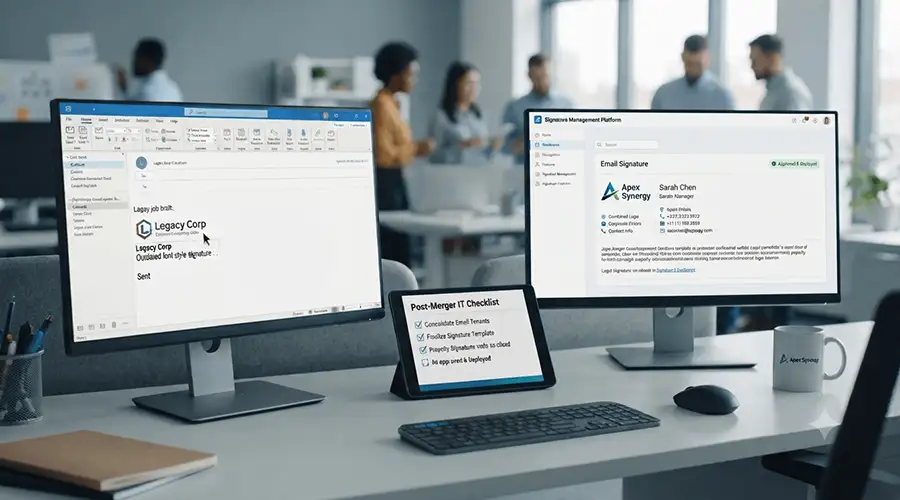
What happens when two companies become one, but their email signatures still tell two different stories?
Here's a scenario that plays out in boardrooms every year: a company acquires another business. Both organizations run on Microsoft 365, both have talented teams, and both are eager to move forward together. Yet weeks after the deal closes, employees are still sending emails with two different logos, two sets of legal disclaimers, mismatched job titles, and contact details that don't match the new org chart.
It sounds like a small thing. It isn't. Email signatures are one of the most visible, most frequently seen pieces of communication a company sends out, and when they're inconsistent, they quietly undermine the very message a merger is supposed to send: that this is now one company, moving in one direction. Left unmanaged, mismatched signatures can confuse clients, create legal exposure, and slow down the broader integration process. This article walks through why signature standardization deserves a place on the post-merger checklist, the risks of ignoring it, and a practical approach for getting every employee sending the same consistent, compliant signature.
Why Email Signatures Matter More Than They Seem

During a merger or acquisition, most of the attention goes to systems integration, org structure, and customer communication plans. Email signatures rarely make the top of the list, but they're one of the first things external contacts notice. A prospect emailing two people from the "same" company, only to see two different brand identities in their inbox, starts to wonder whether the merger is real or just a press release.
This shows up fastest during the transition, when signature inconsistencies during mergers and acquisitions tend to surface, since two employee populations are emailing the same client base without shared standards. Standardizing early is a low-cost signal that integration is actually underway.
Common Branding and Compliance Challenges
Post-merger signature chaos usually comes from a few predictable sources:
- Legacy branding — employees keep using old templates because no replacement has been issued
- Inconsistent job titles — new reporting structures aren't reflected yet
- Disclaimer mismatches — each legal team may require different confidentiality or regulatory language
- Manual edits — without central control, employees fix their own signatures, often incorrectly
Some of these issues carry real legal weight. Regulated industries often require specific disclosure language in every outgoing email, and a lapse during a merger can create genuine compliance exposure. These organizations should treat signature standardization as a regulatory obligation, not just a design task — the same way they'd approach any other compliance checklist for regulated communications.
The Risks of Letting Multiple Formats Persist
If standardization is delayed, the risks compound rather than fade:
- Clients and partners lose confidence in the merger's progress
- Brand equity gets diluted by mismatched visuals
- IT spends hours fielding one-off requests to "fix" individual signatures
- Legal loses visibility into what disclaimers are actually going out
- Acquired-company employees can feel like an afterthought rather than part of the new organization
None of these are dramatic on their own, but together they slow the human side of integration — the part where two teams start to feel like one.
Getting IT, Marketing, HR, and Legal on the Same Page
Signature standardization touches more departments than people expect. IT owns the technical rollout across mail servers and Microsoft 365 tenants. Marketing owns the visual identity — the logo, colors, and fonts representing the combined brand. HR knows the accurate, up-to-date job titles and team structures. Legal determines what disclaimer language is mandatory in each region or industry.
Because these groups rarely sit in the same meeting by default, it helps to name a single integration owner for signatures — often someone in IT or Marketing Ops — whose job is to collect requirements from each department and turn them into one approved template. Microsoft's guidance on mail flow and transport rules can help IT understand the technical options for enforcing signatures centrally, rather than relying on individual Outlook settings.
Building a Unified Signature Strategy
Once stakeholders agree on requirements, the actual strategy work is fairly straightforward:
- Choose a single design that reflects the combined brand, not a compromise between two old ones
- Standardize the information fields — name, title, department, phone, and any required disclaimer
- Decide whether the acquired company's brand appears at all during a transition period, and for how long
- Document the approved template so it can be applied consistently going forward
This kind of brand alignment matters well beyond the signature line itself — it's the same discipline behind maintaining brand consistency across hybrid and distributed teams, where a unified look matters just as much as a unified message.
A Before vs. After Snapshot
Planning the Rollout Across Microsoft 365
Most organizations going through a merger are already on Microsoft 365, which makes centralized rollout achievable without asking employees to do anything manually. A well-run rollout typically follows this order: consolidate both companies' user directories, apply the approved template through a central signature management tool rather than individual Outlook profiles, test across desktop, web, and mobile Outlook clients, then push the update to all users at once rather than in scattered batches. The complete guide to Microsoft 365 email signature management covers tenant consolidation and deployment sequencing in more detail.
Managing Multiple Brands During Transition Periods
Not every merger calls for an immediate, single-brand signature. Some organizations keep a subsidiary brand alive for a defined period, especially if customer contracts or market recognition depend on the acquired name. Here, the goal isn't full uniformity right away — it's controlled consistency, where each brand's signature still follows agreed formatting, disclaimer, and compliance rules even while visual identities differ, similar to how larger organizations manage signatures across subsidiaries and franchise brands that stay recognizable while operating under one parent company's governance.
An Enterprise Scenario: Two Companies, One Inbox
Consider a mid-sized logistics company that acquires a regional competitor. Both use Microsoft 365, but that's where the similarity ends. The acquired company's 400 employees still send emails with their old logo and a disclaimer written for a different regulatory jurisdiction. IT has no central way to update signatures across both tenants, so employees are told to "update it themselves" — which predictably results in a dozen formats within a month.
Legal flags the disclaimer issue first, worried about contractual language that no longer applies post-acquisition. Marketing notices client-facing emails still referencing the old brand name months after the deal was announced. IT, meanwhile, is fielding help-desk tickets from employees whose new titles won't display correctly.
The fix comes once the company centralizes signature management: one approved template, deployed automatically across both tenants, with disclaimer logic that adjusts based on the sender's region. IT stops manually intervening, Legal signs off once instead of repeatedly, and Marketing gets a single, on-brand signature across the combined workforce — without asking a single employee to touch their own settings.
Practical Recommendations for a Smooth Rollout
A few practices consistently separate smooth migrations from messy ones:
- Set up an approval workflow so Legal, Marketing, and HR sign off before the template goes live, not after
- Communicate with employees early so the update doesn't feel like a surprise
- Test across devices and clients, since signatures can render differently on mobile versus desktop
- Keep one source of truth rather than letting local offices create their own variations
- Plan for updates, since titles and branding will likely shift again as integration continues
Preparing for the Next Acquisition
Companies that grow through acquisition rarely do it once. Building a repeatable process — centralized management, clear approval steps, and a documented template library — means the next merger won't require solving the same problem from scratch. IT teams handling frequent integrations often lean on a documented rollout framework, similar to the approach outlined in the IT playbook for enterprise-wide signature migration. Each new acquisition follows a proven sequence rather than starting over.
Final Thoughts
Email signatures won't make or break a merger, but they're one of the easiest, most visible ways to show clients, partners, and employees that integration is actually happening. Aligning IT, Marketing, HR, and Legal early, choosing one unified template, and rolling it out centrally across Microsoft 365 removes the guesswork and compliance risk of letting employees manage their own signatures.